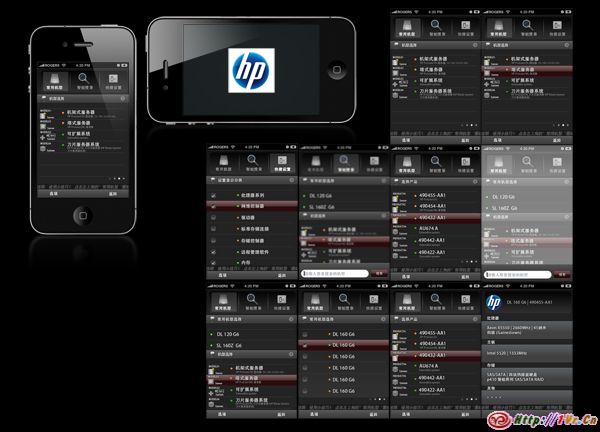
该软件本是塞班系统的软件,应客户要求做iPhone版移植,特别针对iPhone的触屏做了新的UI和优化.该系统通过人性化的格局概念与时尚感十足的界面设计,让惠普在进行产品销售的时候做到最快捷,最直观,最方便!掏出手机就可以详细解释全系列产品的详细信息与架构……
在线视频演示:
http://player.youku.com/player.php/sid/XMjE2NjgxMTk2/v.swf
该软件本是塞班系统的软件,应客户要求做iPhone版移植,特别针对iPhone的触屏做了新的UI和优化.该系统通过人性化的格局概念与时尚感十足的界面设计,让惠普在进行产品销售的时候做到最快捷,最直观,最方便!掏出手机就可以详细解释全系列产品的详细信息与架构……
在线视频演示:
http://player.youku.com/player.php/sid/XMjE2NjgxMTk2/v.swf
为客户量身定制的iPad应用程序,内置于iPad之中.具体不多说.放图几张.具体看视频Demo.因为内置于某几个iPad,所以App store见不到它.可惜.



演示视频:
http://player.youku.com/player.php/sid/XMjE2Njc5NTA0/v.swf
经历了多次测试,调试,终于搞定了这款软件.不易啊!为了方便客户添加音乐或者图片等素材,特意写了一个工具,这工具已经达到只要会点鼠标,5分钟即可学会使用的效果.赞下我自己.哈哈.
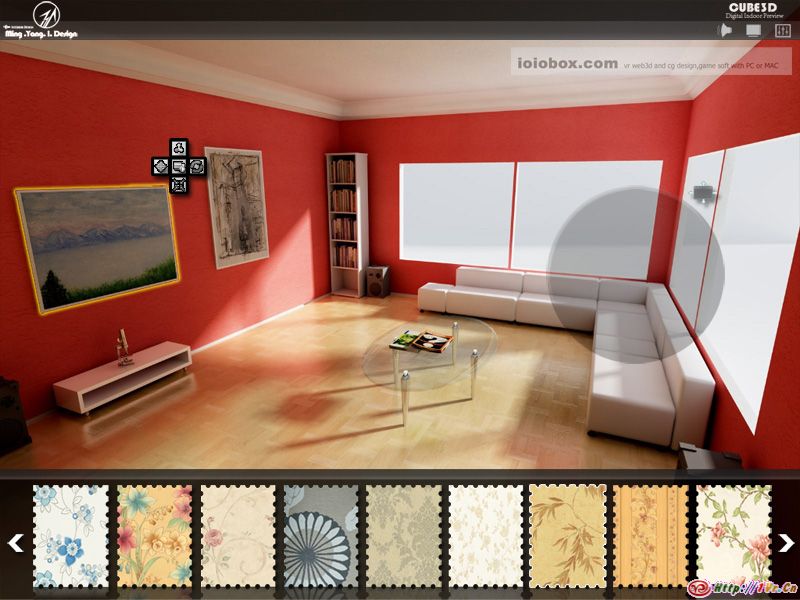
截图是概念图设计稿.下面摘抄了小蛇Zack的软件介绍的一部分.要看完整到文字介绍.可以去小蛇的博客.截图右上角的网址即是.
该软件是国内第一款真正意义上的全三维动态交互家居选材软件.适用于家具,壁纸,地板,窗帘等等全方面多角度的家具自定义设计范围.用户可以在完全没有技术障碍的条件下,轻松的自己来查看各种家具,壁纸,户型组合后的真实效果.从而帮助用户决定哪款家具或壁纸是自己所中意和需要的!最终决定购买!
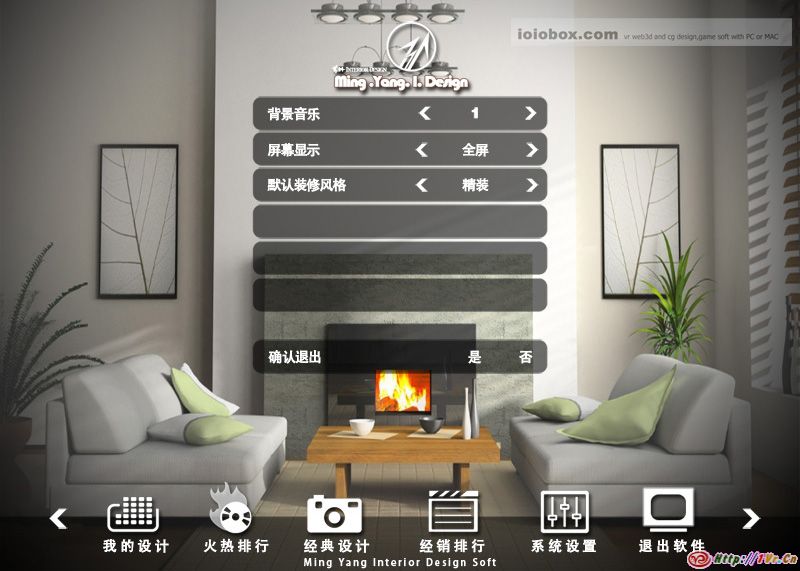
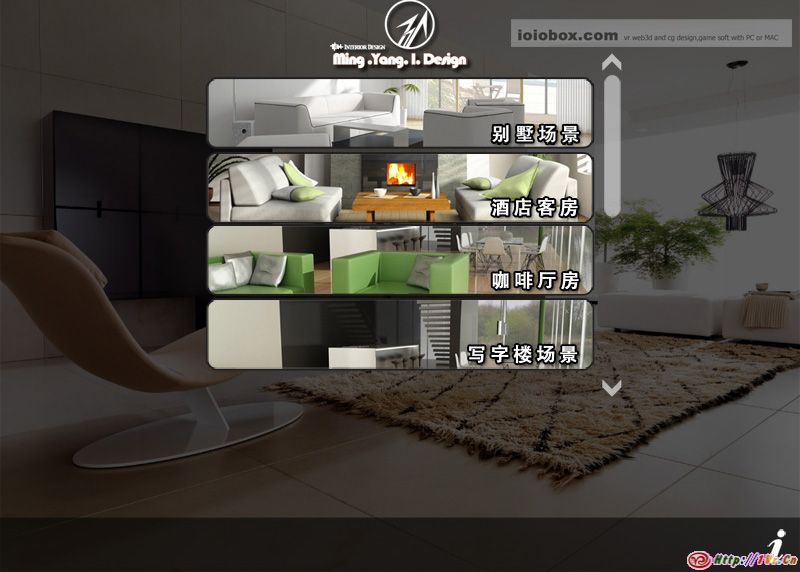

下面视频是使用演示及使用教程.
使用演示:
http://player.youku.com/player.php/sid/XMjE2NjYwNDUy/v.swf
http://v.youku.com/v_show/id_XMjE2NjYwNDUy.html
使用教程:
http://player.youku.com/player.php/sid/XMjE2NjkyODQw/v.swf
http://v.youku.com/v_show/id_XMjE2NjkyODQw.html
本软件第一版已经交付客户使用,网上可以下载到安装包,不过没有试用,且绑定了加密狗.所以暂时没办法让大家亲自体验了.
这几天想大场景到载入及优化头又大了一圈.无意中在网上看到有人发了我们和北影合作的一个FPS游戏的截图,未加详细说明未加来源说明,我个人不太喜欢这种做法,抽了点时间录了点视频截了点图.算占个位.别让别人混淆了各位.
重点放在了网络连接及交互测试上,没有进行深入的优化美化.故事情节策划的使校长被劫持,学生前去营救.哈哈.
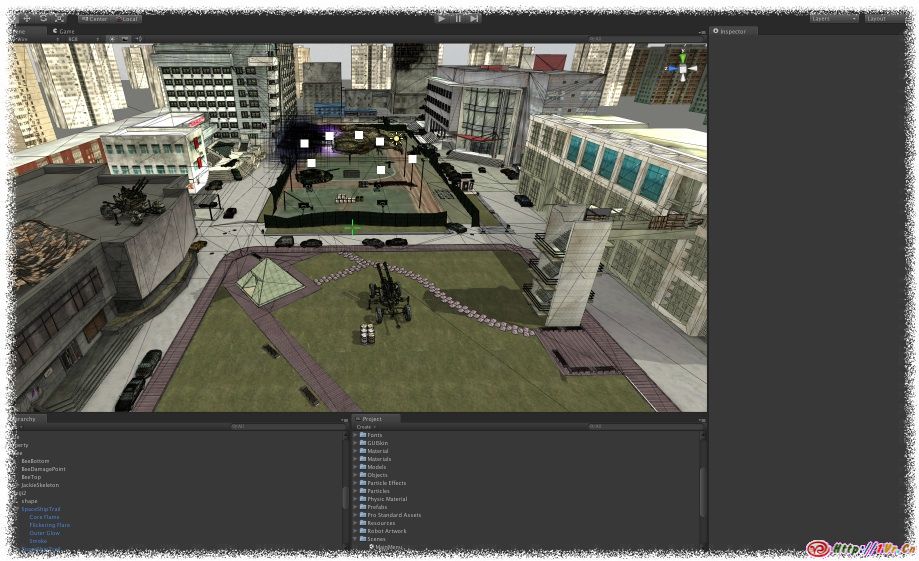
先来个全景
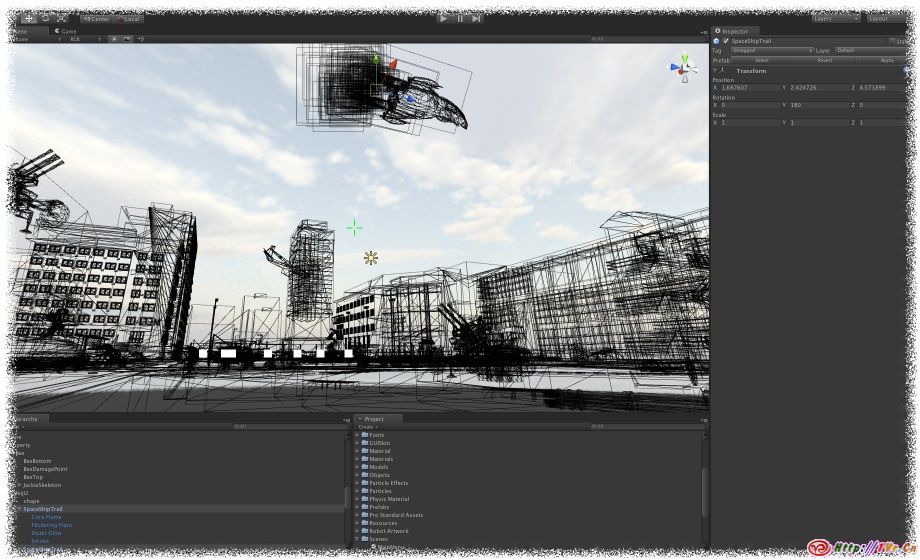
天空有大鸟,哈哈.
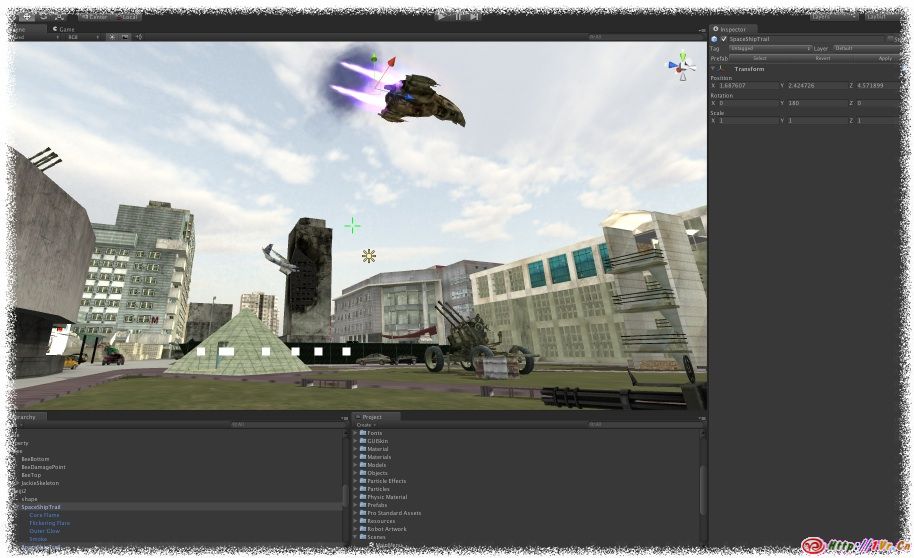
没有做预渲染,场景很枯燥.
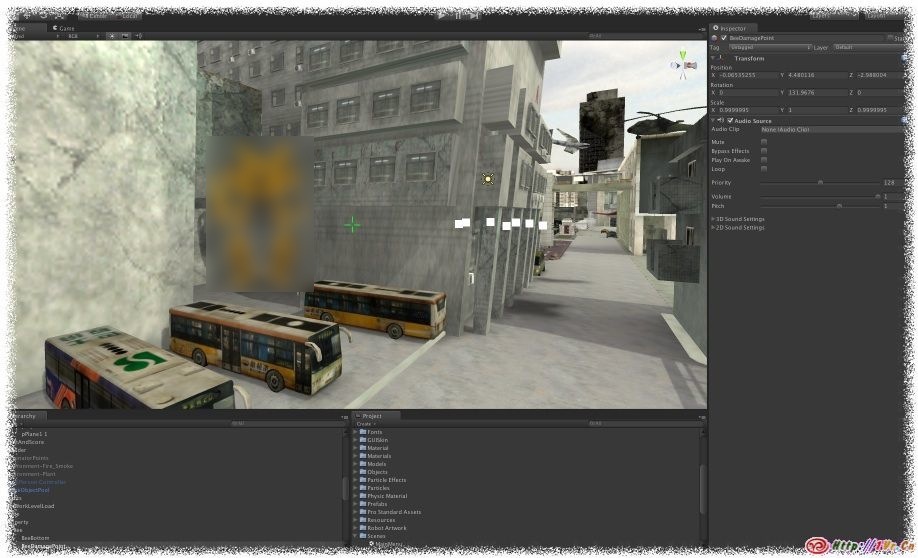
哇哦,竟然还有大黄蜂隐居.
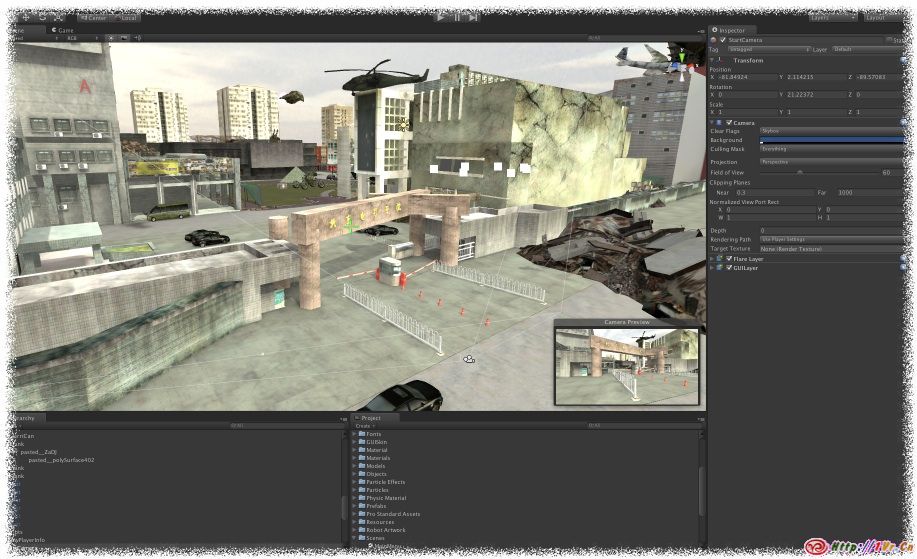
可怜的校园,我想真这样,学生还能去营救么?
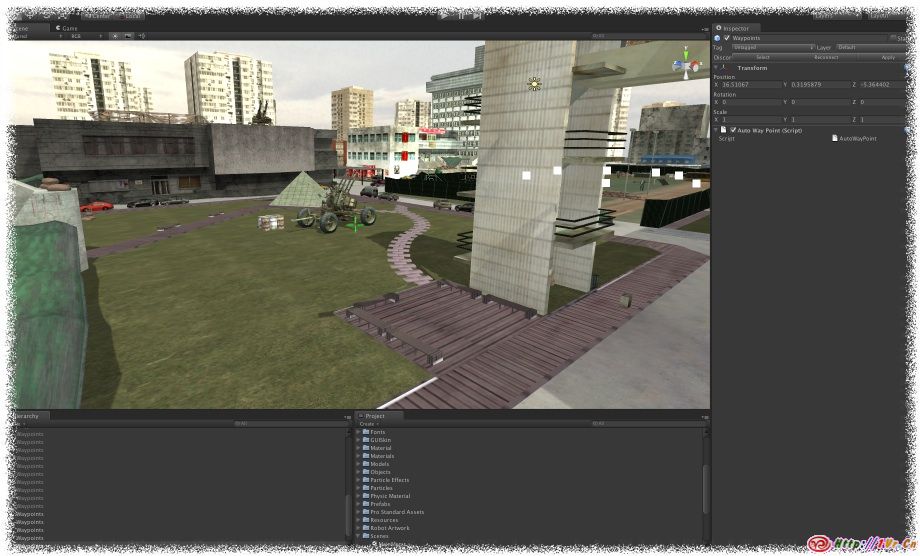
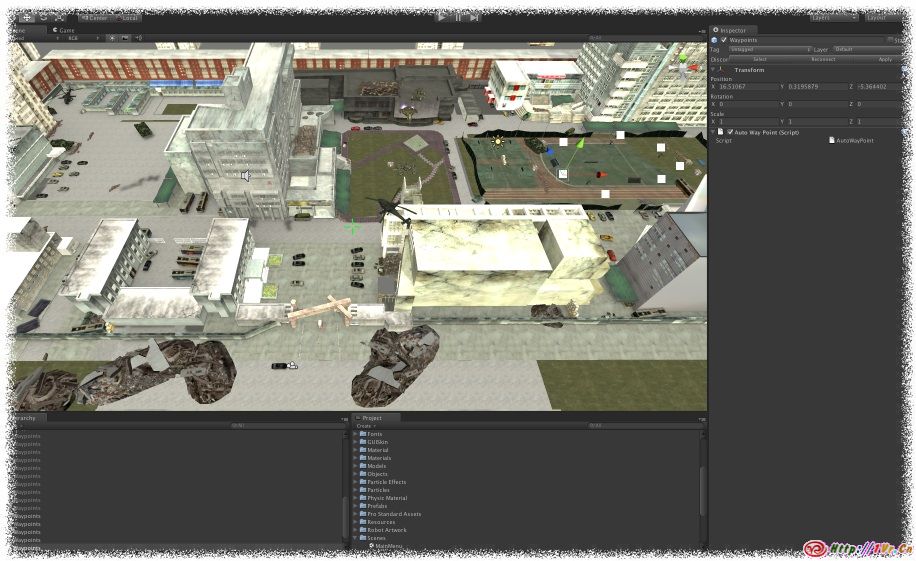
鸟瞰一下.
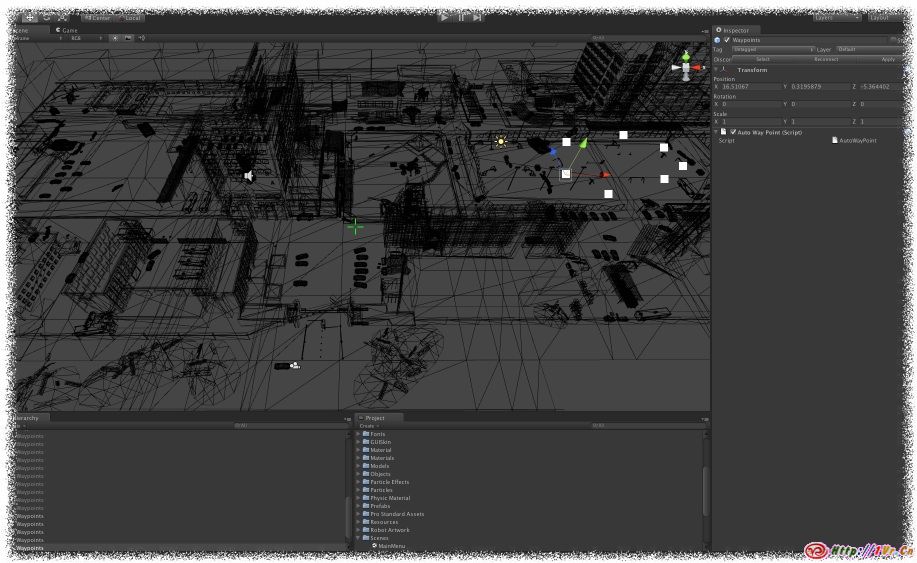
总体模型面数还行,贴图精度特别高,平均每张4096像素.
如果没看够的话,可以看下面视频感受一下.目前搁置状态.等有机会完成后发布Webplayer版供大家PK.
在线视频Demo:
http://player.youku.com/player.php/sid/XMjE2NjMzMzI0/v.swf
很强大,免费,如果觉得有用.可以捐助作者.作者博客:http://reverieinteractive.com/
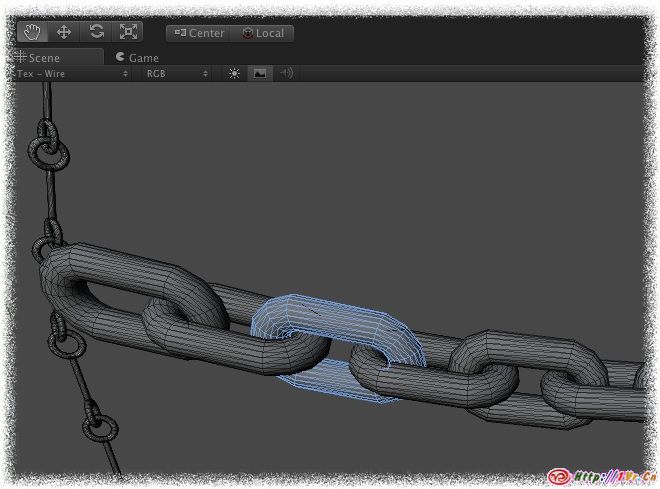
易用的”Inspector”类编辑器.
实时可视化编辑,不需要一边做一边试.
内置两种类型的模型可选.
有多种碰撞盒类型可选.
100610版本源码下载:点击下载此文件
Unity资源包下载:点击下载此文件
作者将于明天发布新版本.敬请期待.
新版本将包含如下功能:
可以添加声音,
可以轻松的作为攀登对象,比如绳梯.
改进控制器.
改进网格绳索
绳索的整体优化修正.
将这个脚本保存命名为MassSetMaterials.js后放置在项目的资源目录下的Editor目录中.
然后先将你的”范本”模型设置好材质shader(批量操作后所有选择的物体都会按照这个范本模型去设置材质)
然后用Shift去加选你想要设置材质shader的物体,最后再点击一下那个”范本”模型,确保它在检视面板(Inspector Window)显示.
然后到顶部菜单找Scripts>Mass Set Materials进行批量设置材质shader操作.
@MenuItem("Scripts/Mass Set Materials")
static function MassSetMaterials() {
    Undo.RegisterSceneUndo("Mass Set Materials");
var mats : Material[] = Selection.activeGameObject.renderer.sharedMaterials;
for (var obj : GameObject in Selection.gameObjects) {
obj.renderer.sharedMaterials = mats;
}
}
这个脚本我一直再用,它小巧,但是威力大.特别针对大批量贴图要调整尺寸等等的时候作用尤为明显.
在菜单中添加”Custom→Texture”的方式来批量改变所选的贴图导入设置.Unity本身只能一次打开一张图片进行导入设置,目前这个脚本可以批量更改贴图格式,是否开启MipMap,调整纹理最大尺寸,是否可读等等.
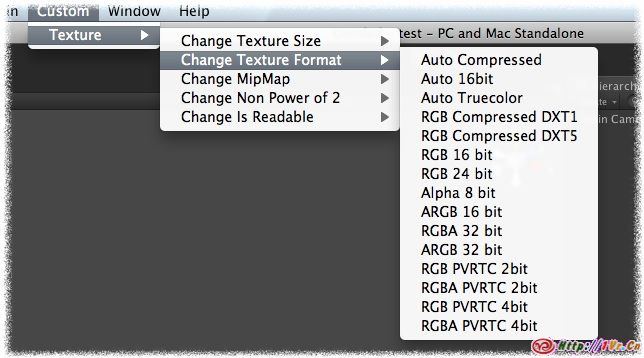
用法是把脚本放在你项目的资源目录的Editor文件夹下.然后选择你要批处理的纹理.到菜单中选择要处理的类型就可以了.
ChangeTextureImportSettings.cs for Unity2.x
using UnityEngine;
using UnityEditor;
// /////////////////////////////////////////////////////////////////////////////////////////////////////////
//
// Batch Texture import settings modifier.
//
// Modifies all selected textures in the project window and applies the requested modification on the
// textures. Idea was to have the same choices for multiple files as you would have if you open the
// import settings of a single texture. Put this into Assets/Editor and once compiled by Unity you find
// the new functionality in Custom -> Texture. Enjoy! :-)
//
// Based on the great work of benblo in this thread:
// http://forum.unity3d.com/viewtopic.php?t=16079&start=0&postdays=0&postorder=asc&highlight=textureimporter
//
// Developed by Martin Schultz, Decane in August 2009
// e-mail: ms@decane.net
//
// /////////////////////////////////////////////////////////////////////////////////////////////////////////
public class ChangeTextureImportSettings : ScriptableObject {
[MenuItem ("Custom/Texture/Change Texture Format/Auto")]
static void ChangeTextureFormat_Auto() {
SelectedChangeTextureFormatSettings(TextureImporterFormat.Automatic);
}
[MenuItem ("Custom/Texture/Change Texture Format/RGB Compressed DXT1")]
static void ChangeTextureFormat_RGB_DXT1() {
SelectedChangeTextureFormatSettings(TextureImporterFormat.DXT1);
}
[MenuItem ("Custom/Texture/Change Texture Format/RGB Compressed DXT5")]
static void ChangeTextureFormat_RGB_DXT5() {
SelectedChangeTextureFormatSettings(TextureImporterFormat.DXT5);
}
[MenuItem ("Custom/Texture/Change Texture Format/RGB 16 bit")]
static void ChangeTextureFormat_RGB_16bit() {
SelectedChangeTextureFormatSettings(TextureImporterFormat.RGB16);
}
[MenuItem ("Custom/Texture/Change Texture Format/RGB 24 bit")]
static void ChangeTextureFormat_RGB_24bit() {
SelectedChangeTextureFormatSettings(TextureImporterFormat.RGB24);
}
[MenuItem ("Custom/Texture/Change Texture Format/Alpha 8 bit")]
static void ChangeTextureFormat_Alpha_8bit() {
SelectedChangeTextureFormatSettings(TextureImporterFormat.Alpha8);
}
[MenuItem ("Custom/Texture/Change Texture Format/RGBA 16 bit")]
static void ChangeTextureFormat_RGBA_16bit() {
SelectedChangeTextureFormatSettings(TextureImporterFormat.ARGB16);
}
[MenuItem ("Custom/Texture/Change Texture Format/RGBA 32 bit")]
static void ChangeTextureFormat_RGBA_32bit() {
SelectedChangeTextureFormatSettings(TextureImporterFormat.ARGB32);
}
// ----------------------------------------------------------------------------
[MenuItem ("Custom/Texture/Change Texture Size/Change Max Texture Size/32")]
static void ChangeTextureSize_32() {
SelectedChangeMaxTextureSize(32);
}
[MenuItem ("Custom/Texture/Change Texture Size/Change Max Texture Size/64")]
static void ChangeTextureSize_64() {
SelectedChangeMaxTextureSize(64);
}
[MenuItem ("Custom/Texture/Change Texture Size/Change Max Texture Size/128")]
static void ChangeTextureSize_128() {
SelectedChangeMaxTextureSize(128);
}
[MenuItem ("Custom/Texture/Change Texture Size/Change Max Texture Size/256")]
static void ChangeTextureSize_256() {
SelectedChangeMaxTextureSize(256);
}
[MenuItem ("Custom/Texture/Change Texture Size/Change Max Texture Size/512")]
static void ChangeTextureSize_512() {
SelectedChangeMaxTextureSize(512);
}
[MenuItem ("Custom/Texture/Change Texture Size/Change Max Texture Size/1024")]
static void ChangeTextureSize_1024() {
SelectedChangeMaxTextureSize(1024);
}
[MenuItem ("Custom/Texture/Change Texture Size/Change Max Texture Size/2048")]
static void ChangeTextureSize_2048() {
SelectedChangeMaxTextureSize(2048);
}
// ----------------------------------------------------------------------------
[MenuItem ("Custom/Texture/Change MipMap/Enable MipMap")]
static void ChangeMipMap_On() {
SelectedChangeMimMap(true);
}
[MenuItem ("Custom/Texture/Change MipMap/Disable MipMap")]
static void ChangeMipMap_Off() {
SelectedChangeMimMap(false);
}
// ----------------------------------------------------------------------------
static void SelectedChangeMimMap(bool enabled) {
Object[] textures = GetSelectedTextures();
Selection.objects = new Object[0];
foreach (Texture2D texture in textures) {
string path = AssetDatabase.GetAssetPath(texture);
TextureImporter textureImporter = AssetImporter.GetAtPath(path) as TextureImporter;
textureImporter.mipmapEnabled = enabled;
AssetDatabase.ImportAsset(path);
}
}
static void SelectedChangeMaxTextureSize(int size) {
Object[] textures = GetSelectedTextures();
Selection.objects = new Object[0];
foreach (Texture2D texture in textures) {
string path = AssetDatabase.GetAssetPath(texture);
TextureImporter textureImporter = AssetImporter.GetAtPath(path) as TextureImporter;
textureImporter.maxTextureSize = size;
AssetDatabase.ImportAsset(path);
}
}
static void SelectedChangeTextureFormatSettings(TextureImporterFormat newFormat) {
Object[] textures = GetSelectedTextures();
Selection.objects = new Object[0];
foreach (Texture2D texture in textures) {
string path = AssetDatabase.GetAssetPath(texture);
//Debug.Log("path: " + path);
TextureImporter textureImporter = AssetImporter.GetAtPath(path) as TextureImporter;
textureImporter.textureFormat = newFormat;
AssetDatabase.ImportAsset(path);
}
}
static Object[] GetSelectedTextures()
{
return Selection.GetFiltered(typeof(Texture2D), SelectionMode.DeepAssets);
}
}
ChangeTextureImportSettingsUnity3 for Unity3.x
using UnityEngine;
using UnityEditor;
// /////////////////////////////////////////////////////////////////////////////////////////////////////////
//
// Batch Texture import settings modifier.
//
// Modifies all selected textures in the project window and applies the requested modification on the
// textures. Idea was to have the same choices for multiple files as you would have if you open the
// import settings of a single texture. Put this into Assets/Editor and once compiled by Unity you find
// the new functionality in Custom -> Texture. Enjoy! :-)
//
// Based on the great work of benblo in this thread:
// http://forum.unity3d.com/viewtopic.php?t=16079&start=0&postdays=0&postorder=asc&highlight=textureimporter
//
// Developed by Martin Schultz, Decane in August 2009
// e-mail: ms@decane.net
//
// Updated for Unity 3.0 by col000r in August 2010
// http://col000r.blogspot.com
//
// /////////////////////////////////////////////////////////////////////////////////////////////////////////
public class ChangeTextureImportSettingsUnity3 : ScriptableObject {
[MenuItem ("Custom/Texture/Change Texture Format/Auto Compressed")]
static void ChangeTextureFormat_AutoCompressed() {
SelectedChangeTextureFormatSettings(TextureImporterFormat.AutomaticCompressed);
}
[MenuItem ("Custom/Texture/Change Texture Format/Auto 16bit")]
static void ChangeTextureFormat_Auto16Bit() {
SelectedChangeTextureFormatSettings(TextureImporterFormat.Automatic16bit);
}
[MenuItem ("Custom/Texture/Change Texture Format/Auto Truecolor")]
static void ChangeTextureFormat_AutoTruecolor() {
SelectedChangeTextureFormatSettings(TextureImporterFormat.AutomaticTruecolor);
}
[MenuItem ("Custom/Texture/Change Texture Format/RGB Compressed DXT1")]
static void ChangeTextureFormat_RGB_DXT1() {
SelectedChangeTextureFormatSettings(TextureImporterFormat.DXT1);
}
[MenuItem ("Custom/Texture/Change Texture Format/RGB Compressed DXT5")]
static void ChangeTextureFormat_RGB_DXT5() {
SelectedChangeTextureFormatSettings(TextureImporterFormat.DXT5);
}
[MenuItem ("Custom/Texture/Change Texture Format/RGB 16 bit")]
static void ChangeTextureFormat_RGB_16bit() {
SelectedChangeTextureFormatSettings(TextureImporterFormat.RGB16);
}
[MenuItem ("Custom/Texture/Change Texture Format/RGB 24 bit")]
static void ChangeTextureFormat_RGB_24bit() {
SelectedChangeTextureFormatSettings(TextureImporterFormat.RGB24);
}
[MenuItem ("Custom/Texture/Change Texture Format/Alpha 8 bit")]
static void ChangeTextureFormat_Alpha_8bit() {
SelectedChangeTextureFormatSettings(TextureImporterFormat.Alpha8);
}
[MenuItem ("Custom/Texture/Change Texture Format/ARGB 16 bit")]
static void ChangeTextureFormat_RGBA_16bit() {
SelectedChangeTextureFormatSettings(TextureImporterFormat.ARGB16);
}
[MenuItem ("Custom/Texture/Change Texture Format/RGBA 32 bit")]
static void ChangeTextureFormat_RGBA_32bit() {
SelectedChangeTextureFormatSettings(TextureImporterFormat.RGBA32);
}
[MenuItem ("Custom/Texture/Change Texture Format/ARGB 32 bit")]
static void ChangeTextureFormat_ARGB_32bit() {
SelectedChangeTextureFormatSettings(TextureImporterFormat.ARGB32);
}
[MenuItem ("Custom/Texture/Change Texture Format/RGB PVRTC 2bit")]
static void ChangeTextureFormat_RGB_PVRTC_2bit() {
SelectedChangeTextureFormatSettings(TextureImporterFormat.PVRTC_RGB2);
}
[MenuItem ("Custom/Texture/Change Texture Format/RGBA PVRTC 2bit")]
static void ChangeTextureFormat_RGBA_PVRTC_2bit() {
SelectedChangeTextureFormatSettings(TextureImporterFormat.PVRTC_RGBA2);
}
[MenuItem ("Custom/Texture/Change Texture Format/RGB PVRTC 4bit")]
static void ChangeTextureFormat_RGB_PVRTC_4bit() {
SelectedChangeTextureFormatSettings(TextureImporterFormat.PVRTC_RGB4);
}
[MenuItem ("Custom/Texture/Change Texture Format/RGBA PVRTC 4bit")]
static void ChangeTextureFormat_RGBA_PVRTC_4bit() {
SelectedChangeTextureFormatSettings(TextureImporterFormat.PVRTC_RGBA4);
}
// ----------------------------------------------------------------------------
[MenuItem ("Custom/Texture/Change Texture Size/Change Max Texture Size/32")]
static void ChangeTextureSize_32() {
SelectedChangeMaxTextureSize(32);
}
[MenuItem ("Custom/Texture/Change Texture Size/Change Max Texture Size/64")]
static void ChangeTextureSize_64() {
SelectedChangeMaxTextureSize(64);
}
[MenuItem ("Custom/Texture/Change Texture Size/Change Max Texture Size/128")]
static void ChangeTextureSize_128() {
SelectedChangeMaxTextureSize(128);
}
[MenuItem ("Custom/Texture/Change Texture Size/Change Max Texture Size/256")]
static void ChangeTextureSize_256() {
SelectedChangeMaxTextureSize(256);
}
[MenuItem ("Custom/Texture/Change Texture Size/Change Max Texture Size/512")]
static void ChangeTextureSize_512() {
SelectedChangeMaxTextureSize(512);
}
[MenuItem ("Custom/Texture/Change Texture Size/Change Max Texture Size/1024")]
static void ChangeTextureSize_1024() {
SelectedChangeMaxTextureSize(1024);
}
[MenuItem ("Custom/Texture/Change Texture Size/Change Max Texture Size/2048")]
static void ChangeTextureSize_2048() {
SelectedChangeMaxTextureSize(2048);
}
// ----------------------------------------------------------------------------
[MenuItem ("Custom/Texture/Change MipMap/Enable MipMap")]
static void ChangeMipMap_On() {
SelectedChangeMimMap(true);
}
[MenuItem ("Custom/Texture/Change MipMap/Disable MipMap")]
static void ChangeMipMap_Off() {
SelectedChangeMimMap(false);
}
// ----------------------------------------------------------------------------
[MenuItem ("Custom/Texture/Change Non Power of 2/None")]
static void ChangeNPOT_None() {
SelectedChangeNonPowerOf2(TextureImporterNPOTScale.None);
}
[MenuItem ("Custom/Texture/Change Non Power of 2/ToNearest")]
static void ChangeNPOT_ToNearest() {
SelectedChangeNonPowerOf2(TextureImporterNPOTScale.ToNearest);
}
[MenuItem ("Custom/Texture/Change Non Power of 2/ToLarger")]
static void ChangeNPOT_ToLarger() {
SelectedChangeNonPowerOf2(TextureImporterNPOTScale.ToLarger);
}
[MenuItem ("Custom/Texture/Change Non Power of 2/ToSmaller")]
static void ChangeNPOT_ToSmaller() {
SelectedChangeNonPowerOf2(TextureImporterNPOTScale.ToSmaller);
}
// ----------------------------------------------------------------------------
[MenuItem ("Custom/Texture/Change Is Readable/Enable")]
static void ChangeIsReadable_Yes() {
SelectedChangeIsReadable(true);
}
[MenuItem ("Custom/Texture/Change Is Readable/Disable")]
static void ChangeIsReadable_No() {
SelectedChangeIsReadable(false);
}
// ----------------------------------------------------------------------------
static void SelectedChangeIsReadable(bool enabled) {
Object[] textures = GetSelectedTextures();
Selection.objects = new Object[0];
foreach (Texture2D texture in textures) {
string path = AssetDatabase.GetAssetPath(texture);
TextureImporter textureImporter = AssetImporter.GetAtPath(path) as TextureImporter;
textureImporter.isReadable = enabled;
AssetDatabase.ImportAsset(path);
}
}
static void SelectedChangeNonPowerOf2(TextureImporterNPOTScale npot) {
Object[] textures = GetSelectedTextures();
Selection.objects = new Object[0];
foreach (Texture2D texture in textures) {
string path = AssetDatabase.GetAssetPath(texture);
TextureImporter textureImporter = AssetImporter.GetAtPath(path) as TextureImporter;
textureImporter.npotScale = npot;
AssetDatabase.ImportAsset(path);
}
}
static void SelectedChangeMimMap(bool enabled) {
Object[] textures = GetSelectedTextures();
Selection.objects = new Object[0];
foreach (Texture2D texture in textures) {
string path = AssetDatabase.GetAssetPath(texture);
TextureImporter textureImporter = AssetImporter.GetAtPath(path) as TextureImporter;
textureImporter.mipmapEnabled = enabled;
AssetDatabase.ImportAsset(path);
}
}
static void SelectedChangeMaxTextureSize(int size) {
Object[] textures = GetSelectedTextures();
Selection.objects = new Object[0];
foreach (Texture2D texture in textures) {
string path = AssetDatabase.GetAssetPath(texture);
TextureImporter textureImporter = AssetImporter.GetAtPath(path) as TextureImporter;
textureImporter.maxTextureSize = size;
AssetDatabase.ImportAsset(path);
}
}
static void SelectedChangeTextureFormatSettings(TextureImporterFormat newFormat) {
Object[] textures = GetSelectedTextures();
Selection.objects = new Object[0];
foreach (Texture2D texture in textures) {
string path = AssetDatabase.GetAssetPath(texture);
//Debug.Log("path: " + path);
TextureImporter textureImporter = AssetImporter.GetAtPath(path) as TextureImporter;
textureImporter.textureFormat = newFormat;
AssetDatabase.ImportAsset(path);
}
}
static Object[] GetSelectedTextures()
{
return Selection.GetFiltered(typeof(Texture2D), SelectionMode.DeepAssets);
}
}
今天换了一个环境工作,还没适应.还好吧.
下午正犯困,QQ上一个朋友发来信息,从别人的Unity3D群复制了这些信息给我.本来想淡定无视掉的.可是想想,我博客好久没写自己的心情了.索性来胡乱说说吧.
墨* Mac(3736695**) 15:55:00
只有自己用着正版的Windows、Office、Max、PS才有脸说不谈盗版,我只所以不在原来号称中国Unity3D第一群里就是这个原因。
墨* Mac(3736695**) 15:56:08
一边用着盗版的Windows、Office、Max、PS,反而说在Unity3D里不准讨论盗版是一种虚伪。
墨* Mac(3736695**) 16:13:33
其实1群很弱的,里面没什么技术高人,有很多人问问题根本就没人回答,那么所谓中国第一群体现在什么方面,人多嘛?!
在没有免费版的时候,我也共享过延长试用期的方法.因为软件没法用就根本也没法学.那个时候也仅仅有Mac版,这也使很多对Unity感兴趣的Pc用户挡在了门外.且那时Mac版Unity很难很难找到”使用”的办法.我喜欢Unity,我也喜欢和大家分享开心的事情.
当得知Unity要发布Windows版之后,我和叫你自由等人也在私下讨论,这下破解在所难逃.但是这谁都不可避免,像Unity3刚发布后的2,3天吧.我和大卫说,Unity3全版本告破,大卫说已经知道了.他们也很重视这个事情.
在Win版发布后,我就尽量的在能力范围内保护Unity3D并推广Unity3D,好让大家一起学习一起进步.起初有一部分原因是因为原有Mac版的用户几乎都购买了正版Unity,所以心里上就不太喜欢拿着破解还大张旗鼓的.后来.再就是后来的免费版发布,也就是起初收费的独立版.因为免费版或者叫学习版除了高级函数无法使用外,完全可以用于学习和独立开发,当需要高级函数来解决高级问题时候,我想也应该掏钱支持Unity的时候了.
另外我学习Unity3D,喜欢它的强大,易用,性价比高之外.用它的最终目的也就是赚钱吃饭,其他人有反对这种说法的吗?估计很少是因为看他挺好玩的一玩就玩几年的吧.所以我觉得在自己力所能及的范围内保护这个”赚钱工具”,这样利人利己的事何乐不为呢?
群人比较多,甚至有的时候想进群都走”后门”托”熟人”,当然这是玩笑话.现在一个群里最多容纳200个朋友,人满的时候只能按照发言顺序清理最久没发言的.加之有的刚入群没报道,正赶上我清理人员,看没发言也一并清理了.
无规矩不成方圆,不允许谈论Unity3D破解,为了群内其他组员的电脑安全,不允许发莫名的网址.当然与技术无关的,比如正治也自然而然的就和谐掉吧.Unity3D的群少,谈正治谈理想的群一把一把的.专群专用.珍惜资源.挺好的事,我觉得.
我从来没有在网络上对外宣称我的Unity群是国内Unity第一大群,有证据的可以出来反驳我.这只是一个比较大团体,我喜欢Unity,做开心的事,树大招风.这个我不否认.淡定!
其他的,有句话.道不同不相为谋,足以说明.
好久没有在我的博客上唠叨琐事了.今天复古一次.祝大家开心.
ps:关于unity的免费版水印,有些人说免费版有水印.没法用.其实经过实际应用来看,认识unity的,不管有没有水印,都能看出来是不是unity做的.不认识unity的,再怎么多的unitylogo水印,他也不认识unity.甚至有很多客户认为那个logo就是我公司的标志呢.
2010.10.15更新:
有些新人还没学Unity,都没入门.就开始狂找Unity破解.试Unity破解,图个啥?找快感么?官方地道的free版正大光明的不用.还没到释放Unity的威力的时候就找破解,找Crack.累不累.
纵观各个Unity的论坛网站,都肆无忌惮的共享,传播Unity破解,Patch版,内存破解版,Loader引导版各种各样的.轻松就可以拿到.拿到手后试试,哦耶.真的破解了,真的可以用!然后呢?最后的结果是什么?我不说大家自明.